Category
Mobile app Design
Tools
Figma
Adobe Illustrator
Adobe Photoshop
Platform
iOS & Android
Project Overview
In today’s digital age, shared experiences like birthdays, farewells, or group trips are often scattered across multiple group chats, fragmented camera rolls, and fleeting social media stories. This project introduces a dedicated platform designed to centralize and elevate how we capture collective memories. It allows users to create “Memory Campaigns,” invite friends to contribute text, audio, or video, and seamlessly compile those responses into lasting digital keepsakes.
Problem Statement
When organizing group events or milestones, gathering well-wishes, photos, and videos from multiple people is a chaotic and manual process. Organizers lack a unified tool to request, track, and curate these memories without badgering participants or losing files in crowded messaging apps.
The Solution
A structured, collaborative memory-sharing application where users can:
- Initiate memory campaigns and invite specific users.
- Collect rich-media responses (voice notes, photos, text).
- Track engagement through clear status indicators (Pending, Submitted).
- Curate and compile received memories into beautifully generated video montages.
Core Features & UX Walkthrough
Engaging Empty States & Dashboard
- Step-by-Step Input: Broken down the memory creation process to reduce cognitive load. Users easily upload hero images, define the title/description, and set an “End Date” for submissions.
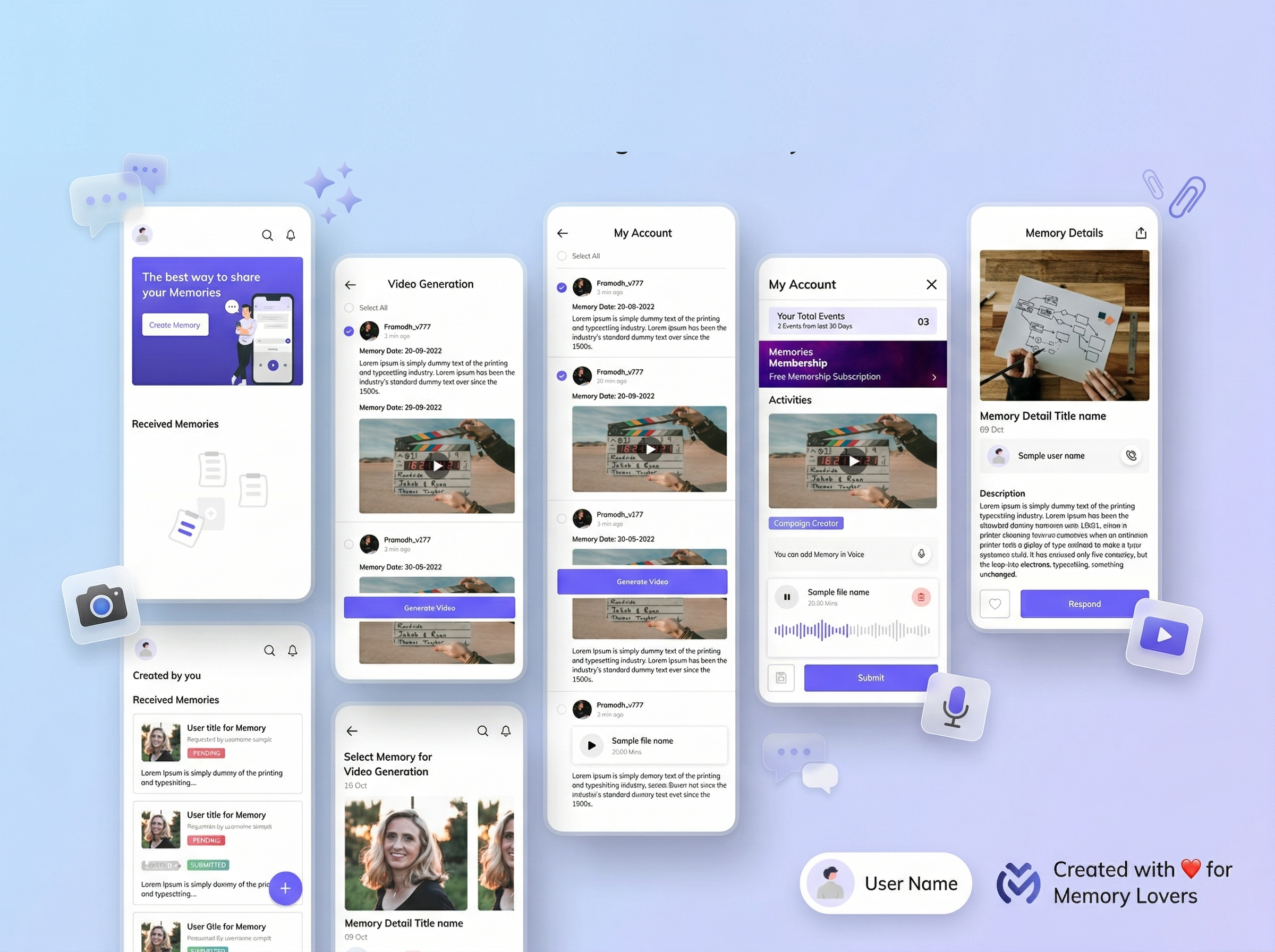
- Rich Media Integration: Designed a seamless audio-recording interface with real-time waveform visualization, allowing users to add emotional depth through voice notes alongside their text and photos.
Frictionless Creation Flow
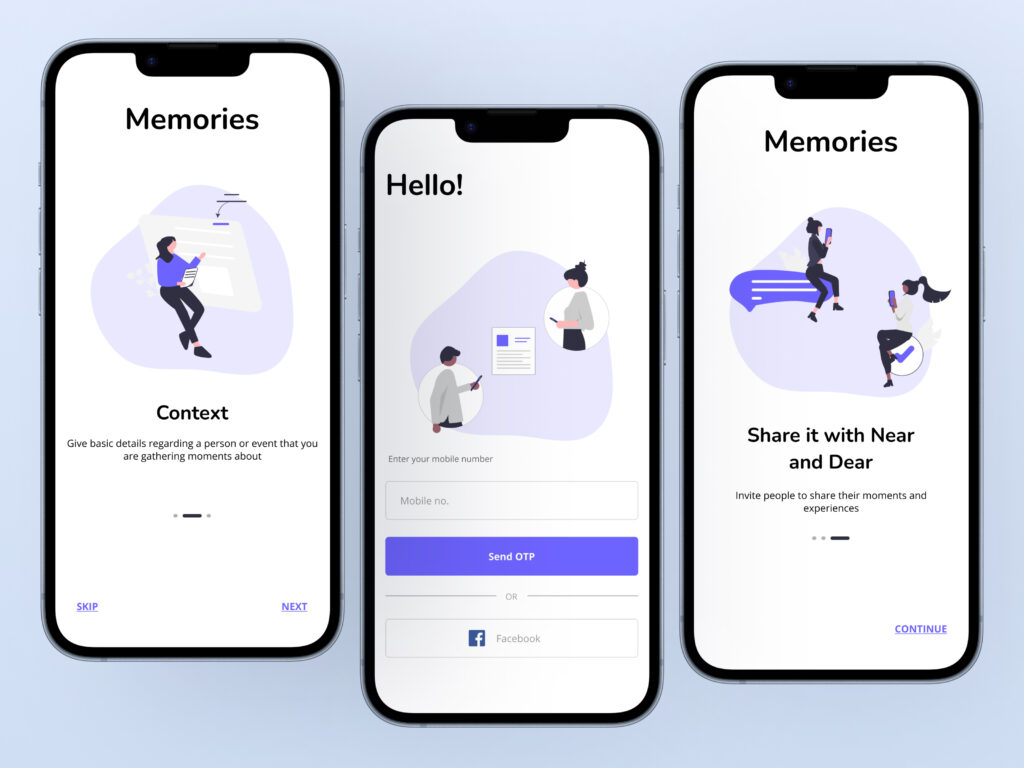
- The Empty State: Designed a welcoming onboarding screen using friendly illustrations to guide new users toward their first action (“Create Memory”).
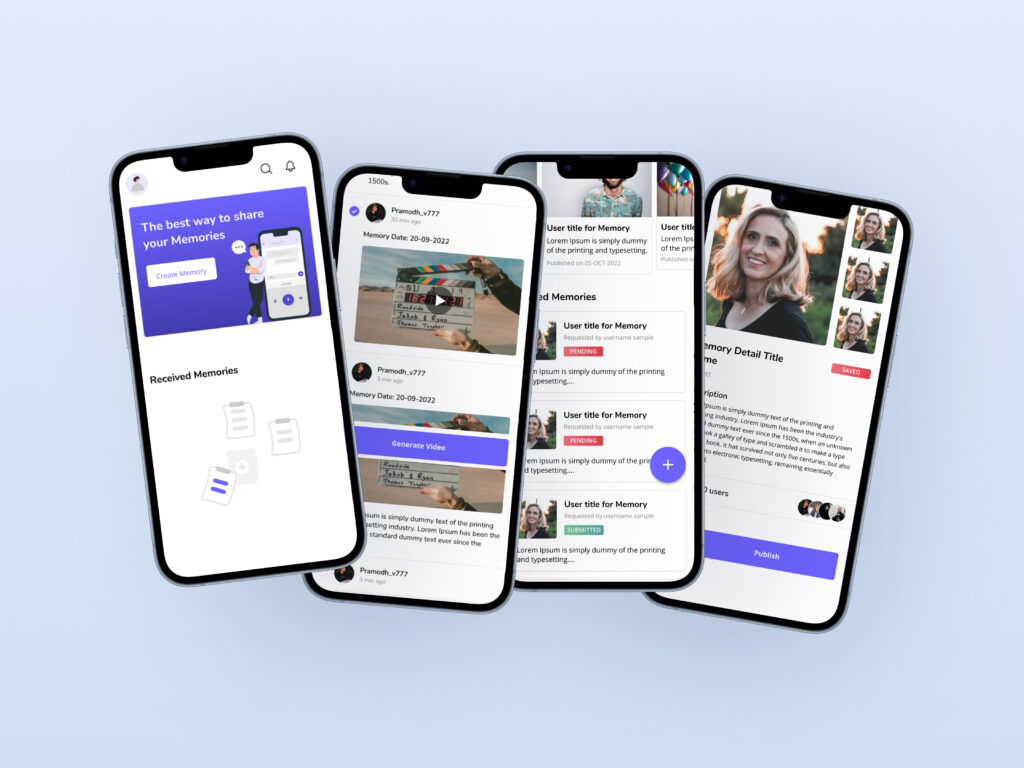
- Home Dashboard: Utilized a split-view hierarchy. A horizontal carousel highlights “Created by you” (memories the user is managing), while a vertical feed organizes “Received Memories” (campaigns the user has been invited to).
- Status Badges: Implemented clear, color-coded tags (PENDING, SUBMITTED, PUBLISHED, SAVED) so users instantly understand where their action is required.
The “Campaign” Collaboration Model
- Creator View: Campaign creators have a comprehensive management screen showing their prompt and a list of invited users (avatars). Once responses roll in, the creator can view individual contributions (audio, video, text) in a clean, scrollable feed.
- Receiver View: When invited, users see the context of the memory request, the “Campaign Creator’s” details, and a clear call-to-action to “Respond.”
Video Generation & Curation (The “Aha!” Moment)
- Smart Compilation: To solve the ultimate pain point of video editing, I designed a feature that allows the creator to select specific user responses via a simple checklist UI.
- One-Tap Generation: With the selected memories, the user taps “Generate Video” to automatically stitch together a unified memory timeline—turning scattered files into a cohesive, shareable story.
Profile & Monetization Strategy
- Account Management: A clean profile settings page for standard user data management.
- Scalability & Gamification: Introduced a “Memories Membership” banner and a “Vouchers/Coupons” section, laying the groundwork for freemium monetization (e.g., higher quality video exports, larger storage) and user retention loops.
Design System & Visual Language
- Color Palette: Chose a vibrant, emotional Indigo/Purple as the primary brand color to evoke creativity and nostalgia, balanced with clean white backgrounds and soft gray cards to make user-uploaded photos pop.
- Typography: Used a modern, accessible sans-serif font with varying weights to establish a clear hierarchy between section titles, body text, and metadata (timestamps, usernames).
- UI Components: Relied on soft-rounded cards, prominent Floating Action Buttons (FAB), and intuitive iconography to ensure a tactile and modern mobile experience.
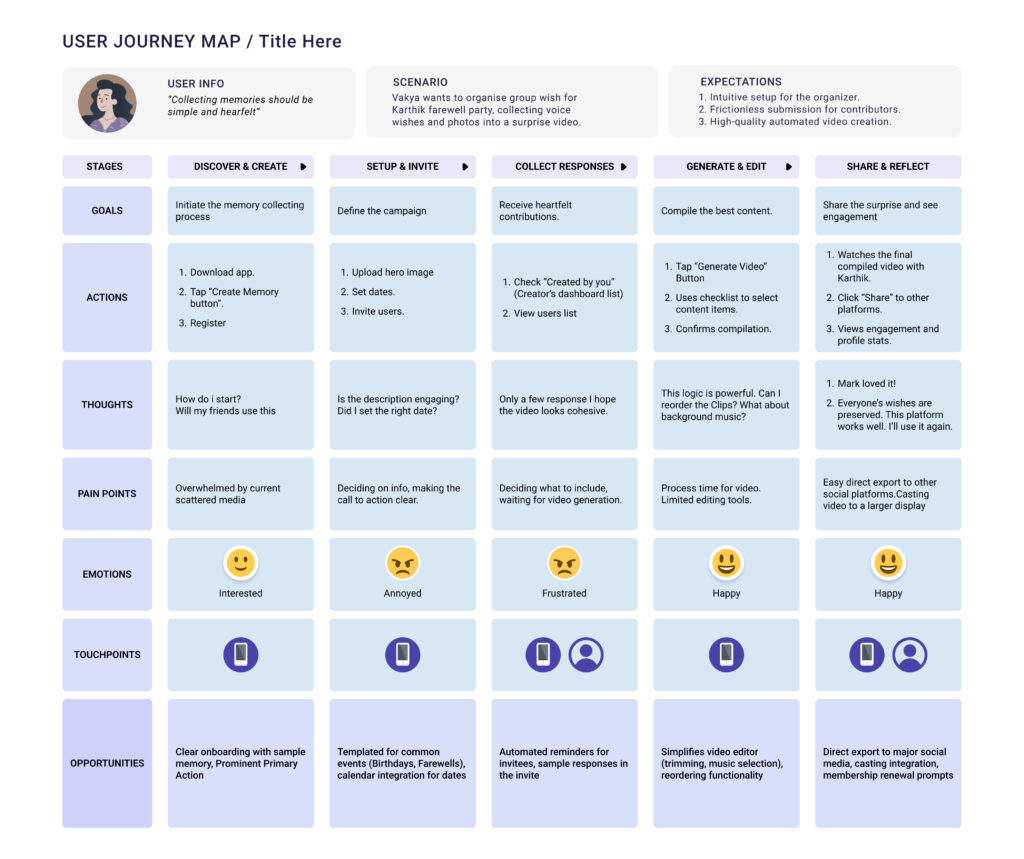
Takeaways
Designing this memory app required balancing a dual-sided user journey: ensuring the creator feels empowered to manage a campaign, while the contributor experiences zero friction when adding their memory. The introduction of the automated “Video Generation” tool serves as the platform’s key differentiator, transforming raw data into emotional value.